Claude Code Hooks: The Event-Driven Automation You Didn't Know You Needed

Get the tools: agents-skills-plugins
The Problem With Letting AI Run Free
Here's a confession: I love Claude Code. I also don't fully trust it.
Not because it's bad - it's genuinely excellent at what it does. But excellent doesn't mean infallible. Every developer who's used an AI coding assistant has had that moment. You look away for 30 seconds, and suddenly your .env file is committed to GitHub, your production database schema has a new column called test_please_delete, and there's a console.log("HERE") in your authentication middleware.
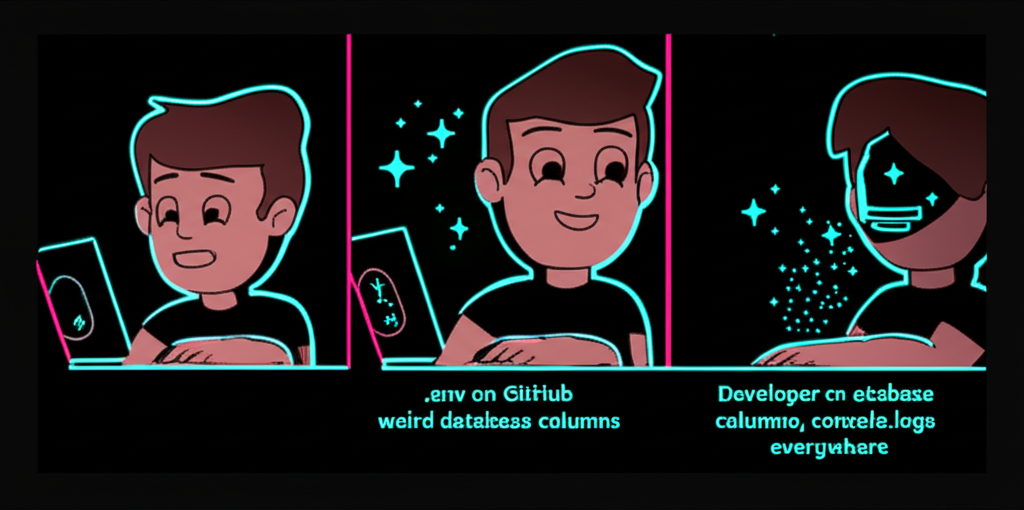
AI assistants are powerful. They're also enthusiastic. Sometimes too enthusiastic.
Enter Claude Code Hooks: event-driven automation that lets you intercept, validate, and control what Claude does before it does it. Think of it as giving your AI assistant a responsible adult to check in with.
What Are Hooks, Exactly?
Hooks are event listeners for Claude Code. They fire at specific moments during Claude's execution cycle, letting you run custom logic - either a shell command or a prompt - before the action proceeds.
The key events are:
- PreToolUse - Fires before Claude uses any tool (Write, Edit, Bash, etc.)
- PostToolUse - Fires after a tool completes
- Stop - Fires when Claude thinks it's done with a task
- SubagentStop - Fires when a subagent considers stopping
- SessionStart - Fires when a new session begins
- SessionEnd - Fires when a session ends
- UserPromptSubmit - Fires when a user submits a prompt
- PreCompact - Fires before context compaction
- Notification - Fires on notification events
Each hook can either approve the action, deny it, ask for confirmation, or modify the input before it proceeds. You're essentially creating guardrails, validators, and automations that run in the background while Claude works.
The Anatomy of a Hook
Here's what a basic hooks.json file looks like:
{
  "PreToolUse": [
    {
      "matcher": "Write|Edit",
      "hooks": [
        {
          "type": "prompt",
          "prompt": "Validate file write safety. Check: system paths, credentials, path traversal, sensitive content. Return 'approve' or 'deny'.",
          "timeout": 30
        }
      ]
    }
  ],
  "Stop": [
    {
      "matcher": "*",
      "hooks": [
        {
          "type": "command",
          "command": "bash ${CLAUDE_PLUGIN_ROOT}/hooks/scripts/validate-commit.sh",
          "timeout": 45
        }
      ]
    }
  ]
}
Let's break this down:
Matcher: A regex pattern that determines which tools trigger this hook. Write|Edit matches both Write and Edit tools. * matches everything.
Hook Type: Either prompt (uses an LLM to evaluate) or command (runs a shell script).
The Decision: Hooks return a decision - allow, deny, or ask - that determines whether Claude proceeds.
Why Prompt-Based Hooks Are the Secret Sauce
You can write shell scripts for everything. I've done it. It works. But prompt-based hooks are where things get interesting.
Instead of writing brittle bash logic to detect if a file path looks dangerous, you can write:
{
  "PreToolUse": [
    {
      "matcher": "Bash",
      "hooks": [
        {
          "type": "prompt",
          "prompt": "Evaluate if this bash command is safe for production environment. Check for destructive operations, missing safeguards, and potential security issues. Commands should be idempotent and reversible."
        }
      ]
    }
  ]
}
The LLM understands context. It knows that rm -rf / is catastrophic. It knows that DROP TABLE users is probably not what you wanted. It can catch the nuanced mistakes that regex would miss.
This isn't just validation - it's intelligent validation.
Real Hooks I Actually Use
Over at agents-skills-plugins, I've built several hooks that save me from myself on a regular basis. Here are some highlights:
The "Did You Actually Test This?" Hook
{
  "Stop": [
    {
      "matcher": "*",
      "hooks": [
        {
          "type": "prompt",
          "prompt": "Verify task completion: were tests run if code was modified? Did the build succeed? Were all questions answered? Return 'approve' to stop or 'block' with reason to continue."
        }
      ]
    }
  ]
}
This hook fires when Claude thinks it's done. It forces a verification step: Did you actually run the tests? Did the build pass? Did you answer the question, or did you just... stop?
I can't count how many times this has caught Claude declaring victory prematurely.
The Security Scanner
{
  "PreToolUse": [
    {
      "matcher": "Write|Edit",
      "hooks": [
        {
          "type": "command",
          "command": "bash ${CLAUDE_PLUGIN_ROOT}/hooks/scripts/security/scan-secrets.sh",
          "timeout": 30
        }
      ]
    }
  ]
}
Before any file gets written or edited, this runs a secrets scanner. API keys, passwords, connection strings - if it looks like a secret, it gets flagged before it hits the file system.
The Bash Safety Net
{
  "PreToolUse": [
    {
      "matcher": "Bash",
      "hooks": [
        {
          "type": "prompt",
          "prompt": "Validate bash command safety: check for destructive operations, privilege escalation, network access to suspicious endpoints, and any commands that could affect system stability."
        }
      ]
    }
  ]
}
Bash commands are powerful. They're also dangerous. This hook reviews every bash command before execution, looking for anything that might ruin your afternoon.
Session Context Loader
{
  "SessionStart": [
    {
      "matcher": "*",
      "hooks": [
        {
          "type": "command",
          "command": "bash ${CLAUDE_PLUGIN_ROOT}/scripts/load-context.sh"
        }
      ]
    }
  ]
}
When a session starts, this script detects the project type and loads relevant context. Node.js project? Load the TypeScript conventions. Rust project? Load the Cargo patterns. It's automatic environment setup.
Hooks vs. Skills vs. Agents: When to Use What
This is the question I get asked most often. Claude Code plugins have three main components: hooks, skills, and agents. They're not interchangeable.
Hooks are reactive. They respond to events. They're for:
- Validation and guardrails
- Automated checks that should always run
- Security scanning
- Logging and notifications
- Enforcing standards without user intervention
Skills are instructional. They're loaded when Claude needs guidance on a specific topic. They're for:
- Coding standards and conventions
- Domain-specific knowledge
- How-to guides and patterns
- Reference documentation
Agents are autonomous workers. They're dispatched to handle specific tasks. They're for:
- Complex multi-step operations
- Tasks that benefit from focused context
- Specialized problem-solving
- Parallel work delegation
Here's my rule of thumb:
- If it should happen automatically without user input: Hook
- If it's knowledge Claude needs to learn: Skill
- If it's a task Claude needs to do: Agent
The Hook Output Contract
When a hook runs, it needs to communicate back to Claude Code. For PreToolUse hooks, the output looks like:
{
  "hookSpecificOutput": {
    "permissionDecision": "allow",
    "updatedInput": {
      "file_path": "/safe/path/instead.ts"
    }
  },
  "systemMessage": "Approved with path modification for safety."
}
permissionDecision: allow, deny, or ask
updatedInput: Optional modifications to the tool's input
systemMessage: Context provided back to Claude
For Stop hooks:
{
  "decision": "block",
  "reason": "Tests were not run after code modifications.",
  "systemMessage": "Please run the test suite before completing this task."
}
decision: approve or block
reason: Why the decision was made
systemMessage: Instructions for Claude if blocked
Advanced Pattern: Chaining Multiple Hooks
You can attach multiple hooks to the same event. They run in sequence:
{
  "PreToolUse": [
    {
      "matcher": "Write|Edit",
      "hooks": [
        {
          "type": "command",
          "command": "bash ${CLAUDE_PLUGIN_ROOT}/hooks/scripts/security/scan-secrets.sh",
          "timeout": 30
        },
        {
          "type": "prompt",
          "prompt": "Verify the code follows project conventions and includes appropriate error handling.",
          "timeout": 20
        }
      ]
    }
  ]
}
First, scan for secrets. Then, verify conventions. Both must pass for the write to proceed.
Building Your Own Hooks
The ${CLAUDE_PLUGIN_ROOT} variable is your friend. It resolves to your plugin's root directory, making paths portable.
Here's a minimal hook script template:
#!/bin/bash
# hooks/scripts/validate-something.sh

# Exit codes:
# 0 - Success, output goes to transcript
# 2 - Error, stderr feeds back to Claude

INPUT="$1"

# Your validation logic here
if some_check_fails "$INPUT"; then
  echo "Validation failed: reason" >&2
  exit 2
fi

echo "Validation passed"
exit 0
For prompt-based hooks, the prompt itself is the logic. Be specific about what you want checked and what response format you expect.
The Unexpected Benefits
I started using hooks for safety. I stayed for the automation.
Hooks have changed how I work with Claude Code. Instead of micromanaging every action, I've built a system of checks that runs invisibly. Claude writes code. Hooks verify it. I review the output. The cognitive load dropped significantly.
Some unexpected wins:
- Consistent formatting: A PostToolUse hook runs the formatter after every edit
- Automatic documentation: A hook adds JSDoc stubs when new functions are created
- Notification alerts: When certain patterns appear, I get a notification
- Project detection: SessionStart hooks configure the environment automatically
It's like having a junior developer who's really good at following checklists and never gets tired.
Get Started
If you want to experiment with hooks, check out the agents-skills-plugins repo. There are working examples you can adapt for your own workflows.
The hook development skill in Claude Code itself is also excellent - just run /hook-development and it'll walk you through the patterns.
For more of my experiments with AI tooling and developer workflows, visit chainbytes.com.
Hooks won't make Claude Code perfect. Nothing will. But they'll make it predictable. They'll catch the mistakes before they happen. They'll enforce the standards you keep forgetting to enforce manually.
And honestly? That's worth more than another 10% improvement in code generation quality. Because the best code is code that doesn't break things.
Build guardrails. Trust, but verify. Let the hooks do the worrying so you don't have to.
Now if you'll excuse me, I have approximately 12 more hooks to write for edge cases I just thought of.
One reaction per emoji per post.
// newsletter
Get dispatches from the edge
Field notes on AI systems, autonomous tooling, and what breaks when it all gets real.
You will be redirected to Substack to confirm your subscription.